.png?width=1041&height=415&name=logo-cert-tool%20(1).png)
If a student has been archived by a current or previous school, the student reports will be stored in our secure servers until the request is made to pull the student out of archives and register him or her into a current school account.
To pull a student out of the archives, follow these simple steps:
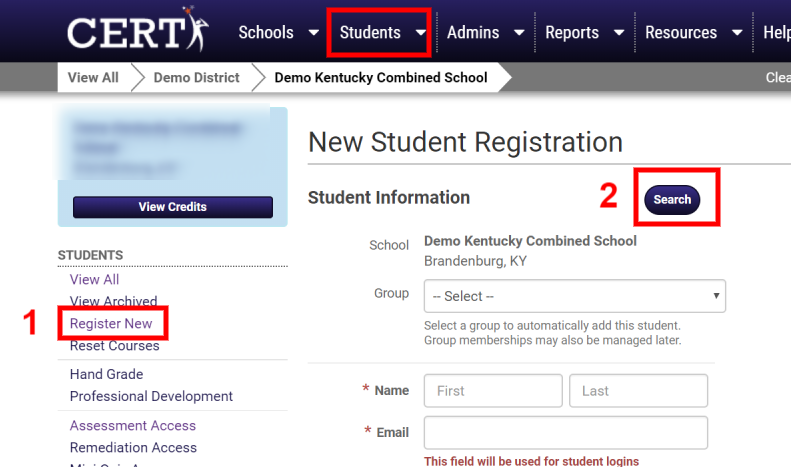
- Click on Register New in the left column under the Students tab
- Click on the blue Search box
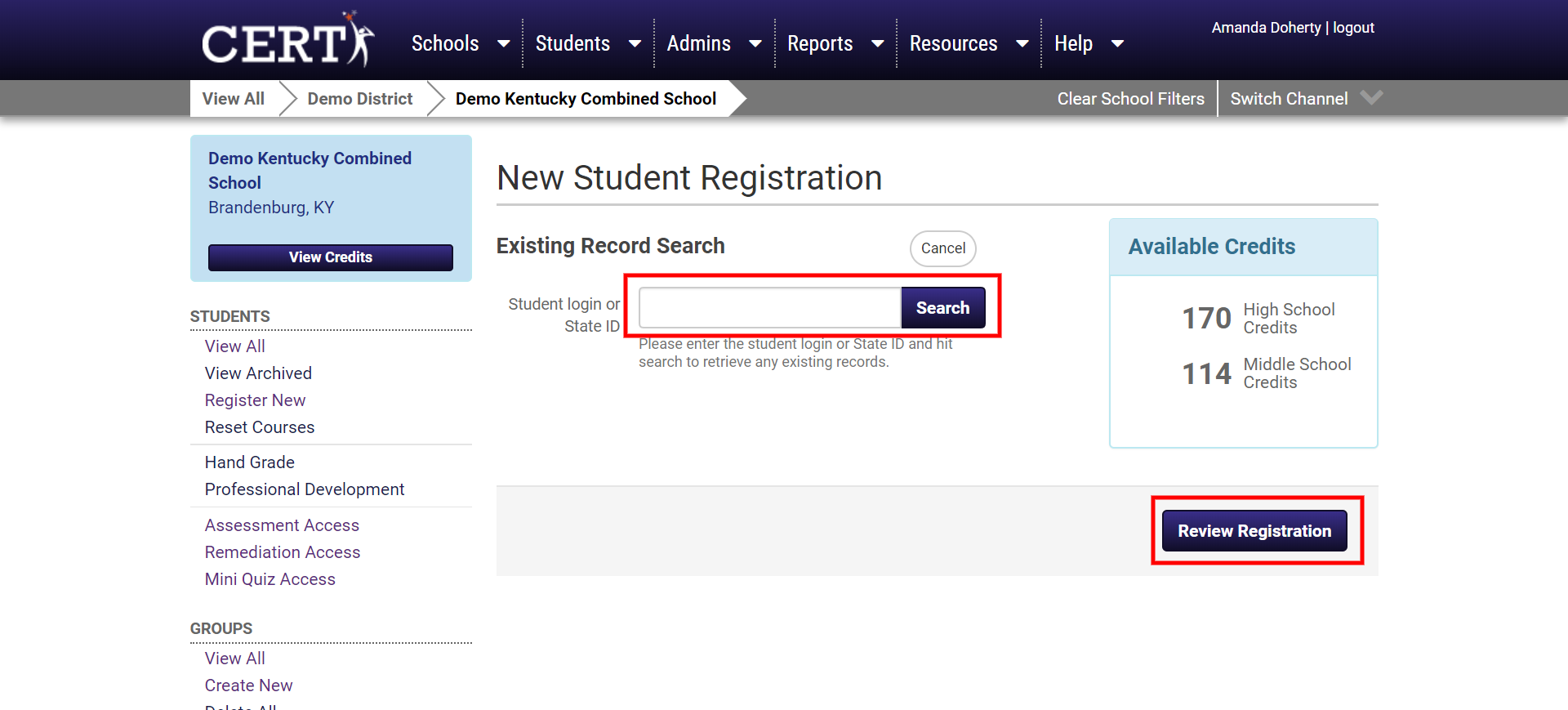
- Fill in the corresponding fields
- Click on Search
- Double-check that the correct student is selected and fill in any missing or incorrect information for the account
- Click Review
- Click Submit