.png?width=1041&height=415&name=logo-cert-tool%20(1).png)
Provide Extended Time for Students For students who require an accommodation for extended time, follow this guide to provide 1.5x or 2x time.
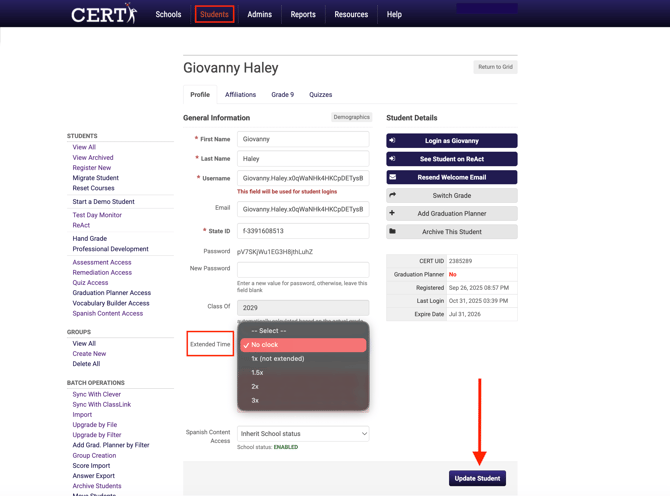
- Select the Students tab to view the student list
- Select the name of the student who requires this accommodation
- Scroll down to the bottom of the page
- Select the drop-down menu next to Extended Time
- TIMING OPTIONS:
- Standard Time: 1.0x
- Time and One-Half or 50% Extended Time: 1.5x
- Double Time: 2.0x
- Triple Time: 3.0x
- Standard Time: 1.0x
- Click Update Student to save changes to the student account
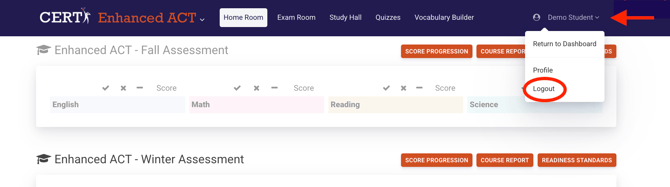
To pause extended time, students will log out by selecting logout in the dropdown menu under their name. This will hold their place in the assessment and preserve their time.